
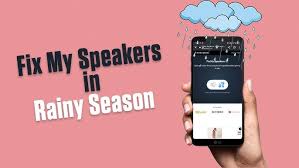
Fix My Speaker is a powerful tool designed to address common speaker issues that many users face. Whether you’re dealing with muffled sound, crackling audio, or even water damage, this tool offers an accessible solution. By utilizing high-frequency sound waves, Fix My Speaker helps dislodge any trapped debris, such as dust and moisture, restoring your device’s audio performance. This simple yet effective method has garnered attention from users seeking quick fixes without resorting to professional repair services.
The popularity of the Fix My Speaker tool raises an important question: Can it be used across all devices? With the diverse range of audio devices available today—from smartphones and tablets to laptops and Bluetooth speakers—understanding compatibility is crucial. Users want to ensure that they can effectively utilize this tool without risking damage to their equipment. This guide aims to clarify the capabilities of Fix My Speaker and provide insights into which devices benefit most from its use.
In this article, we will explore how the Fix My Speaker tool works, its compatibility with various devices, and best practices for safe and effective usage. Whether you’re a tech enthusiast or simply looking to improve your device’s sound quality, this comprehensive guide will equip you with the knowledge you need to make the most of the Fix My Speaker tool.
How the Fix My Speaker Tool Works
The Fix My Speaker tool operates by emitting specific high-frequency sound waves that create rapid, small-scale vibrations in the speaker. When these sound waves interact with the speaker’s diaphragm (the part that vibrates to produce sound), they generate patterns that can “shake out” any dust, dirt, or liquid particles that may have gotten trapped in the speaker grill or on the surface of the diaphragm.
Key Mechanism
Frequency Range:
The tool typically emits sound waves between 100Hz and 1000Hz. This range is high enough to create the needed vibrations but generally not so high that it could damage most device speakers. By adjusting the frequency, the tool can target specific types of particles based on how they respond to different vibrations.
Vibration Effect:
The high-frequency sound waves cause rapid vibrations powerful enough to dislodge particles. As the speaker vibrates, particles stuck in the small openings of the speaker surface or grill may be forced out. This is particularly effective for removing water droplets, as the rapid vibrations can cause the liquid to move away from the diaphragm.
By working within these frequencies, the Fix My Speaker tool effectively clears obstructions without the need for physical cleaning, reducing the risk of scratching or damaging delicate speaker components.
Using the Tool on Mobile Phones
When it comes to fixing audio issues, many users turn to the Fix My Speaker tool specifically for mobile phones. Smartphones are particularly vulnerable to water damage due to their compact design, and small speakers can quickly become muffled or distorted when exposed to moisture or dust. This makes effective cleaning solutions like the Fix My Speaker tool essential for restoring sound quality.
Compatibility with iPhone and Android Devices
iPhones:
Most iPhones are generally compatible with the Fix My Speaker tool. However, it’s important to note that recent models have been designed with enhanced water resistance features. For instance, the iPhone 7 and later models boast IP67 or IP68 ratings, indicating they can withstand certain levels of water exposure. This means that while the tool can be used, its effectiveness may be less critical for newer models since they are built to resist water damage better than older models.
Android Devices:
Compatibility with Android devices can vary significantly based on the brand and model. While some Android devices handle the Fix My Speaker tool effectively, others may need to. For example, Samsung Galaxy devices are generally responsive to the tool, making them suitable candidates for sound restoration. However, less popular or older Android models may respond differently, as they might have different speaker designs or materials that are less tolerant of high-frequency sound waves.
Best Practices for Mobile Phones
To maximize the effectiveness and safety of using the Fix My Speaker tool on mobile phones, follow these best practices:
- Test at Low Frequencies: Start by using the tool at a low-frequency setting. This cautious approach helps you gauge how the device responds without putting excessive strain on the speakers. If the initial results are promising, you can gradually increase the frequency to achieve better cleaning outcomes.
- Use in a Quiet Environment: Conducting the cleaning process in a quiet space can significantly enhance your ability to notice subtle changes in sound quality. Background noise can mask the improvements, making it harder to evaluate whether the tool has effectively removed any obstructions. By minimizing external sounds, you can better assess the impact of the Fix My Speaker tool.
Adhering to these guidelines can maximize your chances of successfully restoring your mobile phone’s audio performance with the Fix My Speaker tool while minimizing the risk of damage.
Using the Tool on Tablets
Tablets are increasingly becoming essential devices for entertainment, communication, and productivity. As a result, they often face issues with their speakers, mainly due to exposure to dust, moisture, or general wear and tear. The Fix My Speaker tool is a viable option for addressing these audio problems. However, it’s important to note that compatibility may vary significantly depending on the tablet’s model and its specific speaker configuration.
Compatibility with iPads and Android Tablets
iPads:
- Most iPads are Compatible: Newer iPad models generally have high-quality speakers that can effectively handle sound waves emitted by the Fix My Speaker tool. This means that if an iPad experiences sound issues, using the tool can help restore its audio clarity.
- Older Models May Benefit More: Older iPads, particularly those that have not been designed with advanced audio technology, may respond better to the Fix My Speaker tool. This is because their speakers may be more prone to clogging with dust or moisture, making them less efficient. The tool can help clear out these particles effectively.
Android Tablets:
- Compatibility Differs Across Manufacturers: Android tablets come in a wide variety of models from different manufacturers, each with distinct audio components. Some brands may have speakers that respond well to the Fix My Speaker tool, while others may not. Therefore, users should check compatibility based on their specific tablet model.
- Generally Responds to the Tool: Despite the variability, many Android tablets are built with decent-quality speakers that can benefit from using the tool, particularly if they have been exposed to moisture or debris.
Tips for Tablet Users
To maximize the effectiveness of the Fix My Speaker tool while minimizing the risk of potential damage to your tablet’s speakers, consider the following tips:
Avoid Prolonged Exposure to High Frequencies:
Extended exposure to high-frequency sound waves can strain or damage the speakers. To prevent adverse effects on your tablet’s audio system, it’s crucial to limit the duration of using the Fix My Speaker tool.
Test the Tool with Brief, Short Bursts:
Instead of running the tool continuously, use it in short intervals. This approach not only allows you to assess the tool’s effectiveness but also helps protect the speakers from excessive stress. Testing in short bursts can reveal whether the sound quality improves without overloading the speakers.
By following these guidelines, users can effectively utilize the Fix My Speaker tool on their tablets while ensuring the integrity of their device’s audio components.
Using the Tool on Laptops
Laptops can be prone to speaker issues, especially older models, which may experience problems due to dust accumulation. Dust and debris can obstruct the sound output, leading to muffled audio. It’s important to note that the build quality of laptop speakers varies significantly between different brands and models. Understanding this variance can help users determine the effectiveness of using the Fix My Speaker tool on their devices.
Compatibility with Windows and Mac Laptops
Windows Laptops:
- Brand Variability: The compatibility of the Fix My Speaker tool with Windows laptops can differ by manufacturer. Brands like Dell, HP, and Lenovo often design their speakers to be durable, enabling them to handle the high-frequency bursts emitted by the tool.
- Robustness: Most modern Windows laptops are equipped with speakers that can withstand short bursts of high-frequency sound without sustaining damage. However, it is always best to check user manuals or online forums for any specific advice related to particular models.
MacBooks:
- High-Quality Speakers: MacBook speakers are generally known for their superior sound quality and are typically more responsive to audio tools like Fix My Speaker. The audio engineering in MacBooks allows them to handle the frequency adjustments effectively.
- Sealed Speaker Systems: While older MacBook models may be more adaptable to the Fix My Speaker tool, newer models have sealed speaker systems designed to be resistant to dust and moisture. The sealed design limits access for cleaning, making it less effective for external tools. Using the Fix My Speaker tool on these models may yield different results and could potentially lead to complications.
Best Practices for Laptops
To ensure effective use of the Fix My Speaker tool while minimizing any potential risks to your laptop’s speakers, consider the following best practices:
Placement on a Flat Surface:
- Stability: Position your laptop on a flat, stable surface. This helps maintain the device’s structural integrity and prevents accidental movement during the cleaning process.
- Speaker Vents: Ensure that the laptop’s speaker vents are unobstructed. Most laptops have speakers located on the sides or bottom, and covering these vents can inhibit sound output and effectiveness.
Avoid Covering the Speaker Vents:
- Sound Output: Keeping the speaker vents clear is crucial for the tool’s proper functioning. Blocking the vents can trap sound and potentially harm the speakers, leading to muffled audio or damage.
- Airflow: Unobstructed vents also help maintain airflow, which is essential for the laptop’s overall performance and cooling.
Use the Tool Sparingly:
- Prevent Speaker Strain: While the Fix My Speaker tool can be effective, using it excessively can strain the speakers. Frequent exposure to high-frequency sounds may lead to reduced sound quality or even permanent damage.
- Monitor Performance: Always monitor how the speakers respond to the tool. If you notice any negative changes in audio quality, discontinue use immediately.
By following these guidelines, you can enhance the performance of your laptop’s speakers while minimizing any potential risks associated with using the Fix My Speaker tool.
Using the Tool on Smartwatches
Smartwatches have become an essential part of modern technology, offering various features, including fitness tracking, notifications, and music playback. However, with these functions come potential issues, particularly with their speakers. Because smartwatches are typically equipped with smaller, more delicate speakers, caution is necessary when using tools like Fix My Speaker, especially if they are frequency-based cleaning solutions.
Compatibility with Apple Watch and Android Smartwatches
Apple Watch:
Newer models of the Apple Watch come with an integrated water eject feature. This feature uses vibrations to help expel any water that might have entered the speaker grill. This built-in function is often a safer alternative to using an external tool, as it is specifically designed for the device’s hardware. Utilizing this feature can help avoid the potential damage that could occur from using frequency-based tools not tailored to the Apple Watch’s speaker system.
Android Smartwatches:
Most Android smartwatches are generally compatible with frequency-based speaker cleaning tools. However, compatibility can vary between different brands and models. It’s essential to verify with the device manufacturer whether using such a tool is recommended, as some smartwatches may have unique designs or speaker technologies that could react differently to sound frequencies.
Best Practices for Smartwatches
To ensure the safe and effective use of the Fix My Speaker tool on smartwatches, consider the following best practices:
Use the Lowest Possible Frequency:
When utilizing the tool, start with the lowest frequency settings. This approach minimizes the risk of harming the smartwatch’s internal components, particularly its delicate speakers. High frequencies can produce strong vibrations, which might damage the speaker drivers or other sensitive parts.
Check for Built-in Features:
Before resorting to external tools, check whether your smartwatch has any built-in features designed for cleaning or ejecting water. Many smartwatches come equipped with specific functions that serve the same purpose as external tools like the Apple Watch’s water eject feature. Utilizing these built-in options can be safer and more effective in maintaining the integrity of the device.
By following these guidelines, users can ensure that they are not only effectively cleaning their smartwatch speakers but also protecting their devices from potential damage.
Sing the Tool on Bluetooth and Wireless Speakers
Bluetooth speakers have become increasingly popular due to their convenience and portability. However, their construction can vary significantly between models and brands, impacting their compatibility with tools like Fix My Speaker. Many Bluetooth speakers are designed to be durable and waterproof, which makes them generally suitable for this type of maintenance. Here’s a closer look at compatibility and best practices for using the tool on Bluetooth speakers.
Compatibility with Popular Bluetooth Speaker Brands
JBL, Bose, and Sony:
- These brands are known for their high-quality audio products, which often incorporate robust construction features, such as water resistance and durable materials.
- Most models from these brands are generally compatible with the Fix My Speaker tool, especially those labeled as waterproof. Their design allows them to withstand exposure to moisture, making them less susceptible to damage when using sound-based cleaning methods.
Home Theater Systems:
- While home theater systems can offer excellent sound quality, they typically consist of multiple speakers connected to a central unit. This broader setup may make them less responsive to the Fix My Speaker tool.
- The speakers in these systems may need to be designed to handle high-frequency sound waves effectively, which can lead to inconsistent results when trying to dislodge dirt or moisture.
Tips for Bluetooth Speakers
Avoid High Volume Settings:
When using the Fix My Speaker tool, it’s essential to keep the volume at a moderate level. High-volume settings can cause excessive vibrations that may damage the internal components of the speaker.
Keeping the volume lower allows the sound waves to do their job without risking harm to the speaker.
Start with Brief, Low-Frequency Bursts:
- It’s advisable to begin with short bursts of lower frequencies. This approach helps to assess how the speaker responds to the tool without overwhelming it.
- Starting gently allows you to gauge the effectiveness of the cleaning process while minimizing potential damage. If necessary, you can gradually increase the intensity or duration, depending on the speaker’s reaction.
By understanding the compatibility of various Bluetooth speaker brands and following these tips, users can effectively utilize the Fix My Speaker tool to maintain their devices, ensuring optimal sound performance without risking damage.
Using the Tool on Other Audio Devices
The Fix My Speaker tool may not be suitable for audio devices such as headphones, earbuds, and gaming headsets. These devices typically have smaller, more delicate components compared to larger speakers, making them more vulnerable to damage from high-frequency sound waves. Here’s a closer look at why this is the case, along with suggested alternatives for maintaining these audio devices.
Compatibility with Headphones and Earbuds
Sensitivity of Components:
- Delicate Design: Headphones and earbuds, especially in-ear models, are designed with sensitive components. They rely on tiny drivers and delicate membranes to produce sound.
- Risk of Damage: High-frequency sounds emitted by the Fix My Speaker tool can potentially overdrive these small drivers, leading to distortions, reduced sound quality, or even permanent damage.
Sound Wave Impact:
- Vibration Response: Smaller drivers in earbuds and headphones respond differently to sound waves compared to more prominent speakers. The vibrations created by high-frequency tones might be too intense, resulting in physical stress on the internal components.
- Enclosed Space: The compact design of earbuds means that any moisture or debris is often more tightly contained, making it less likely for the Fix My Speaker tool’s vibrations to dislodge them effectively.
Alternatives for Smaller Audio Devices
Given the limitations and potential risks of using the Fix My Speaker tool on headphones and earbuds, here are some recommended alternatives for cleaning and maintaining these devices:
Use Specialized Cleaning Kits for Earbuds:
- Cleaning Solutions: Many brands offer cleaning kits designed explicitly for earbuds. These kits often include soft brushes, cleaning wipes, and specialized solutions that are safe for electronic devices.
- Gentle Techniques: Cleaning kits usually emphasize gentle techniques, ensuring that moisture and debris are removed without risking damage to sensitive components.
Seek Professional Services for Delicate Audio Equipment:
- Expert Care: If your headphones or earbuds have accumulated debris or have experienced water exposure, seeking professional cleaning services can be beneficial. Experts can safely disassemble the devices and clean them without harming them.
- Warranty Considerations: For high-end models, having professionals service the device may also keep the warranty intact, as DIY cleaning methods might void warranties.
Conclusion
The Fix My Speaker tool can be a handy solution for dislodging dust or moisture from speakers on compatible devices. While it works well for many smartphones, tablets, and Bluetooth speakers, it could be better for more delicate devices like earbuds and smartwatches. For optimal results, follow safety guidelines and consider alternative solutions if the tool proves ineffective.